My AI work was spread across notes, scheduled jobs and automations that never talked to each other. So I thought: what if I can visually see the exact step-by-step process of all the different things that the AI is doing? Not only that, what if I can, in real time, see exactly what it's doing, when it's doing it, and be able to just visually keep track? Maybe that is the way that we should be managing our AI work.
It kept happening in smaller ways, too. I watched an agent read a board and get it wrong. Agents stopped halfway through a job to ask permission, and I couldn't tell who was doing what. Sometimes the AI just drifted from the process we'd agreed on, and the output came out wrong. And as the non-technical founder, I could feel a wall between me and the engineers.
A project in Vizi has one home. It says what the work is for, what it should never do, what needs me today and which agents are working right now. Agents read it before they touch anything, so anyone, or any AI, can pick the project up cold.
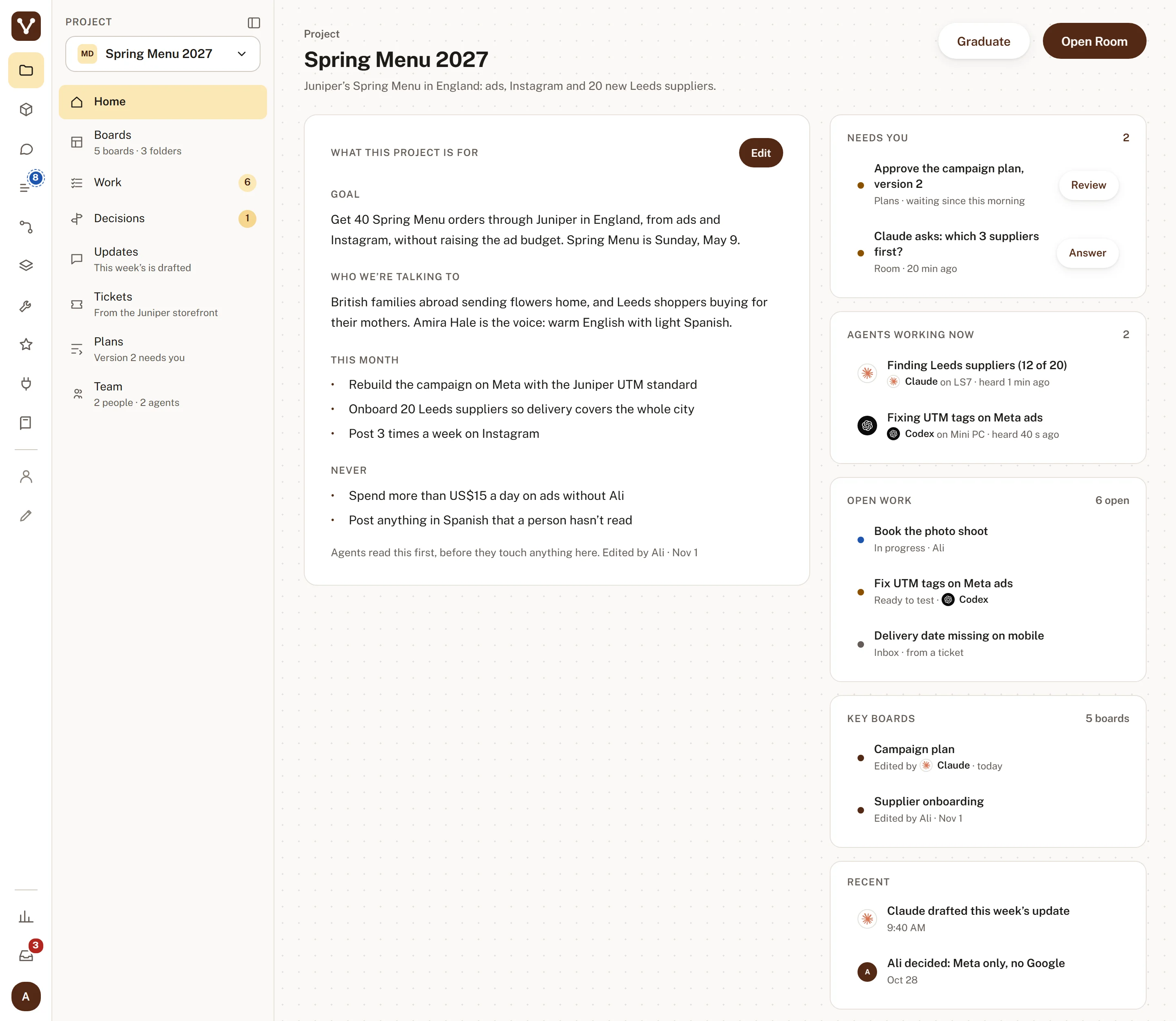
A project's home in Vizi, with demo content. It answers "what's going on here?" for me, for an engineer, or for an AI that just joined.
Here's the idea I built it around: everyone looks at the same work through the view that makes sense to them. So I explain the product to my AI in product terms, and it draws that as a board. I read it as a product person, fix what's wrong and finalize it. Then the AI draws all the other views from it. The engineer opens his own view, and it's the same project in his terms.
The product view, for the product person. This is where I start, and where I sign off before the AI draws anything else.
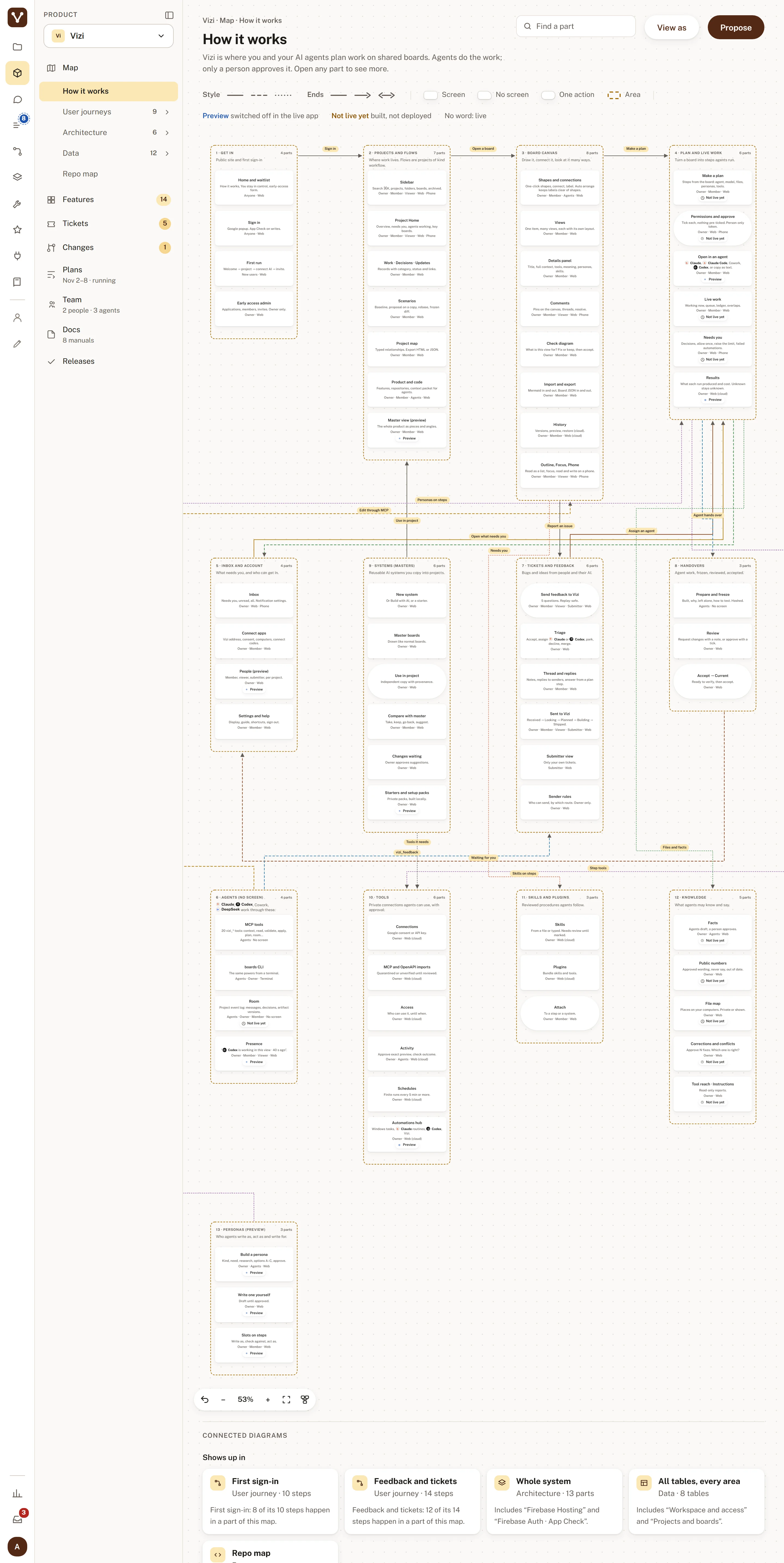 Try it.Zoom in to read. Click any step to see what's behind it.
This is the map of every part of Vizi, and it's how I explain what we're building before anyone opens the code.
For the product person and the designer. What a person goes through, in the order they go through it. This one is first sign-in.
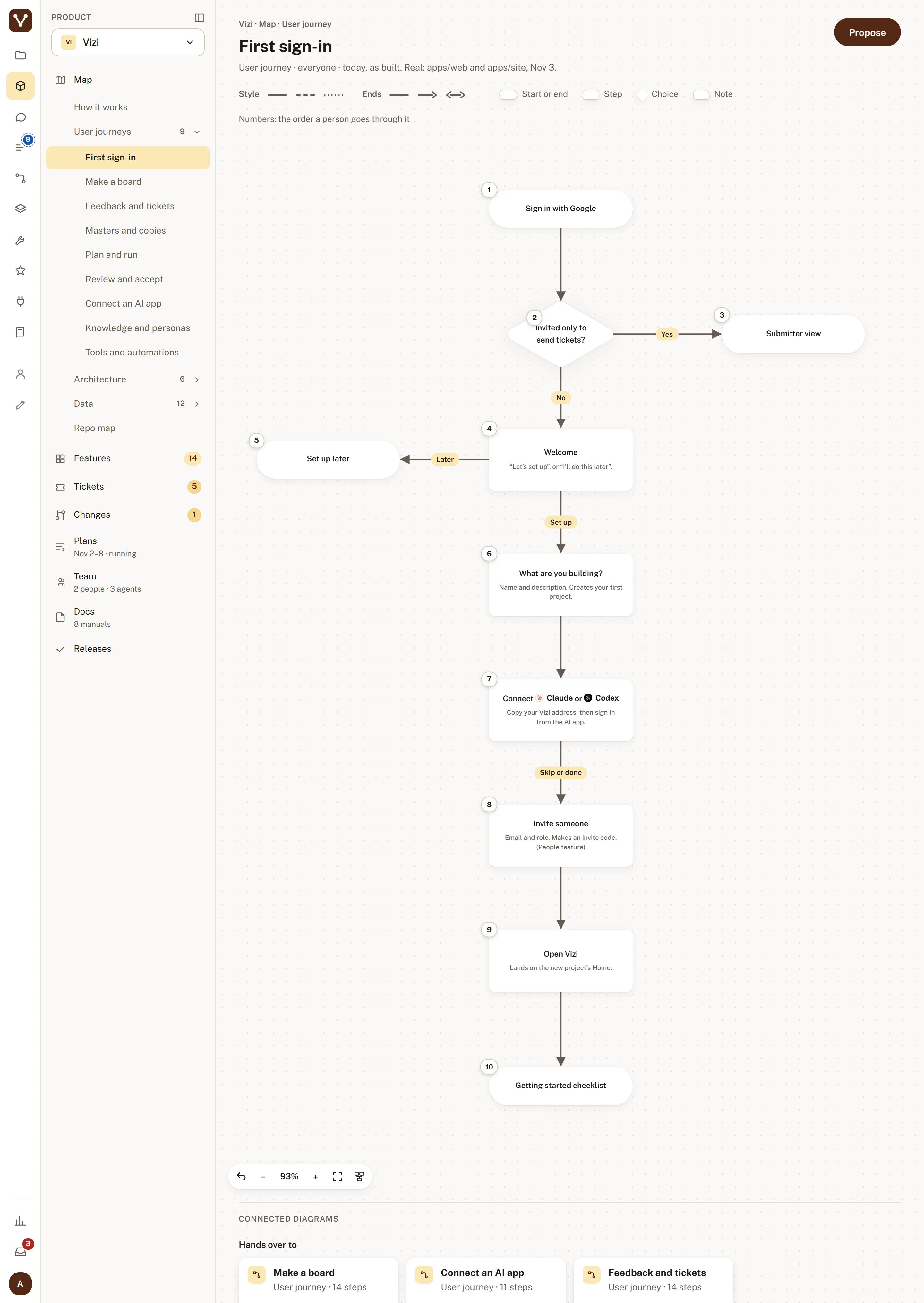 Try it.Zoom in to read. Click any step to see what's behind it.
First sign-in as numbered steps, which is how I see what a new person actually goes through.
For the engineer. The same product, drawn as the pieces that talk to each other.
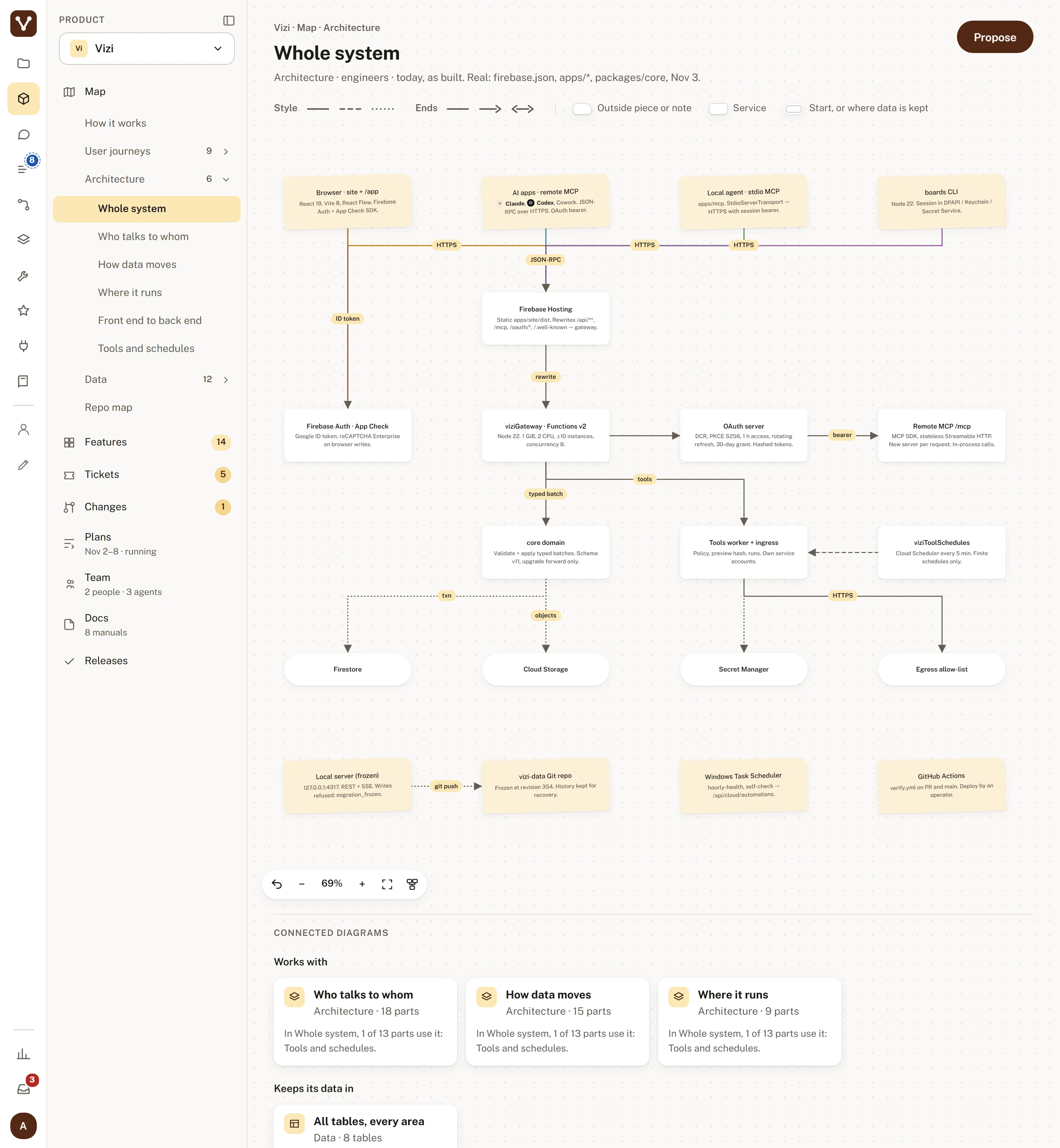 Try it.Zoom in to read. Click any step to see what's behind it.
Services, stores and the lines between them, so we know what depends on what before anyone changes something.
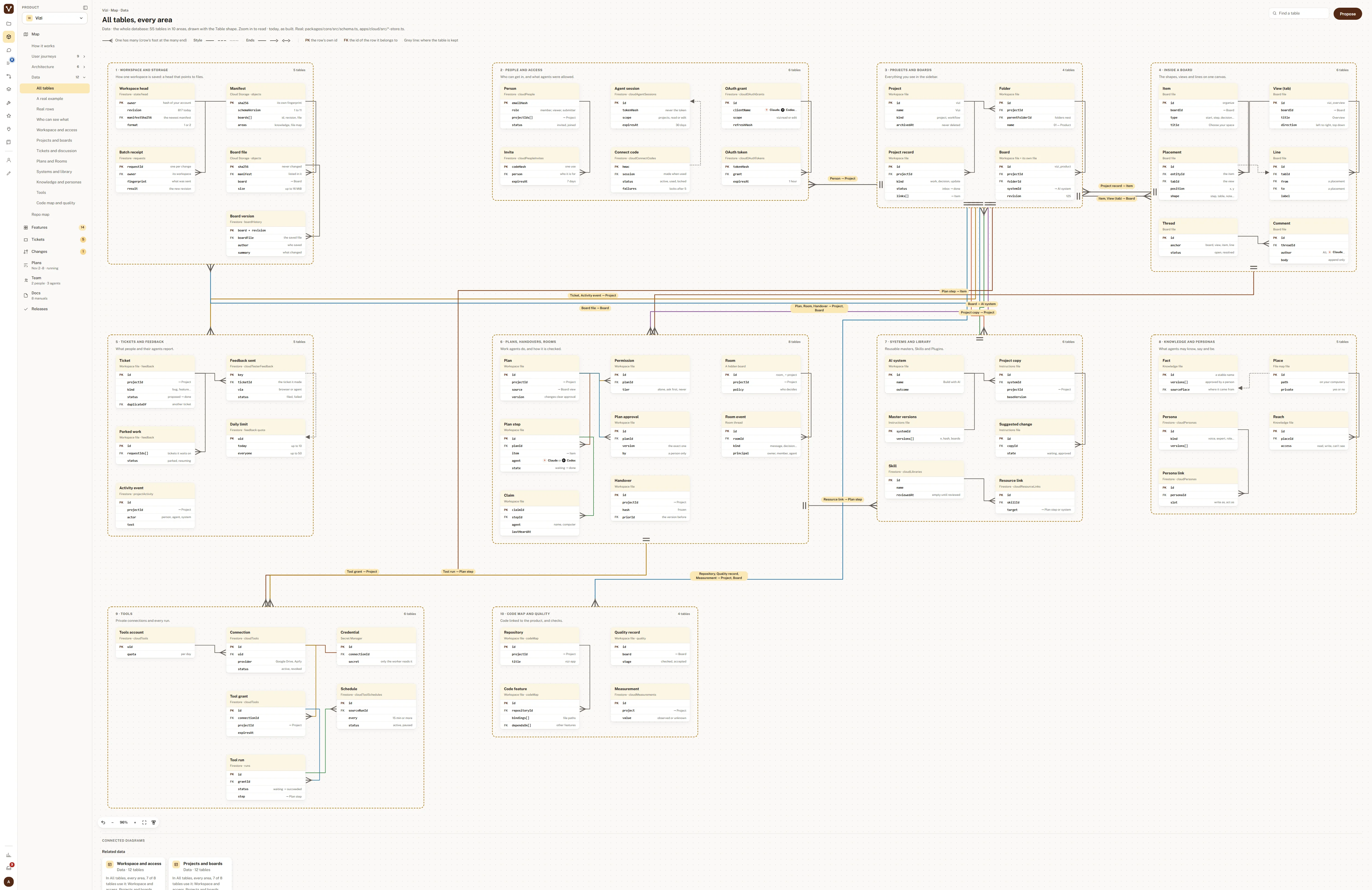
For the engineer, and for anyone who needs to know where information lives: every table, and how they connect.
 Try it.Zoom in to read. Click any step to see what's behind it.
Every table in the database, grouped by area, for when someone asks where information lives and what else touches it.
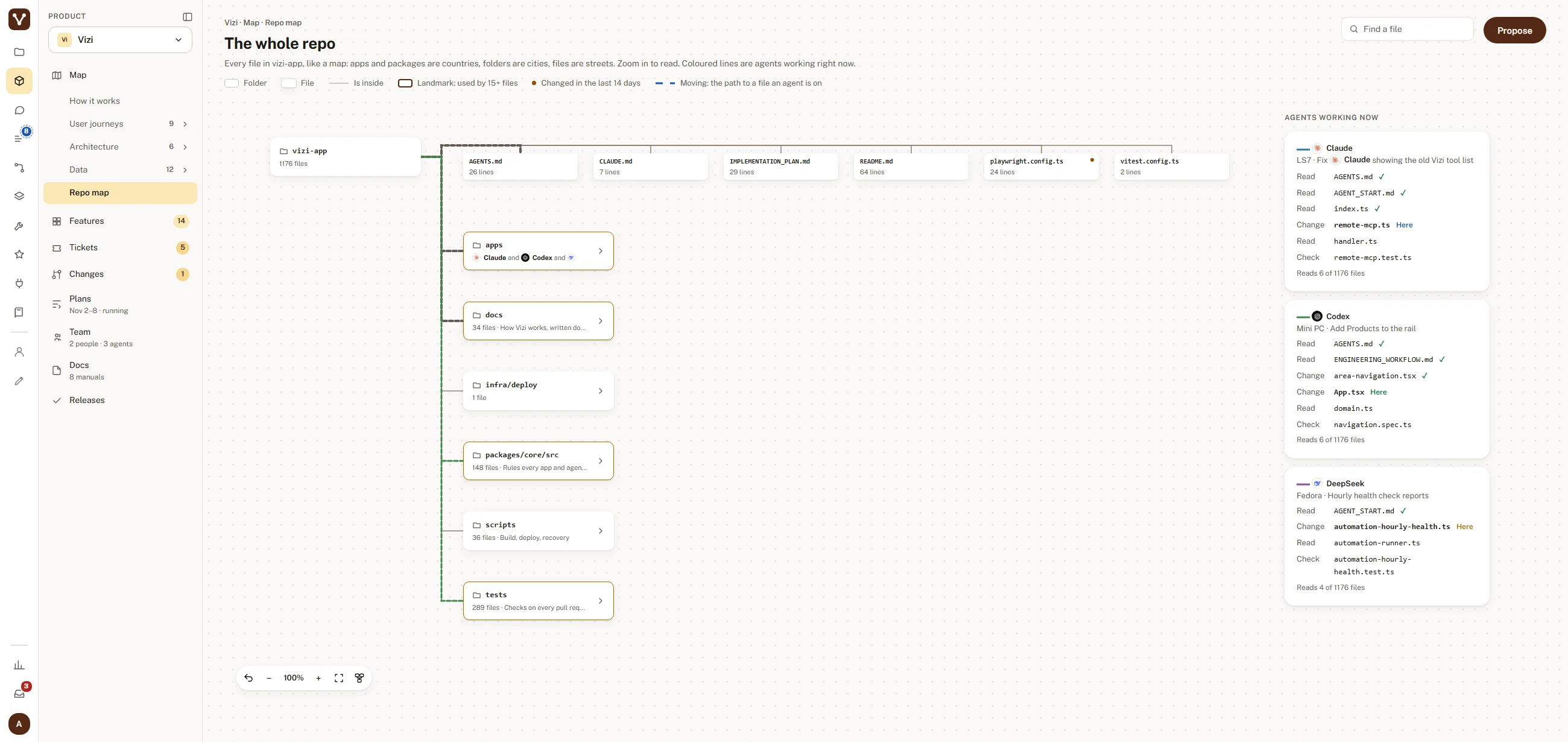
For the engineer, and for the agents. The code drawn as a map, with each agent shown on the folder it's working in right now.
 Try it.Zoom in to read. Click any step to see what's behind it.
The whole repo as a map, with each agent next to the folder it's working in, to show who's touching what.
Every shape on a board opens. Click a step and a panel shows who does it, what comes before and after, the work linked to it, and where it sits in the plan. The product person and the engineer can read the same step, each at their own depth.
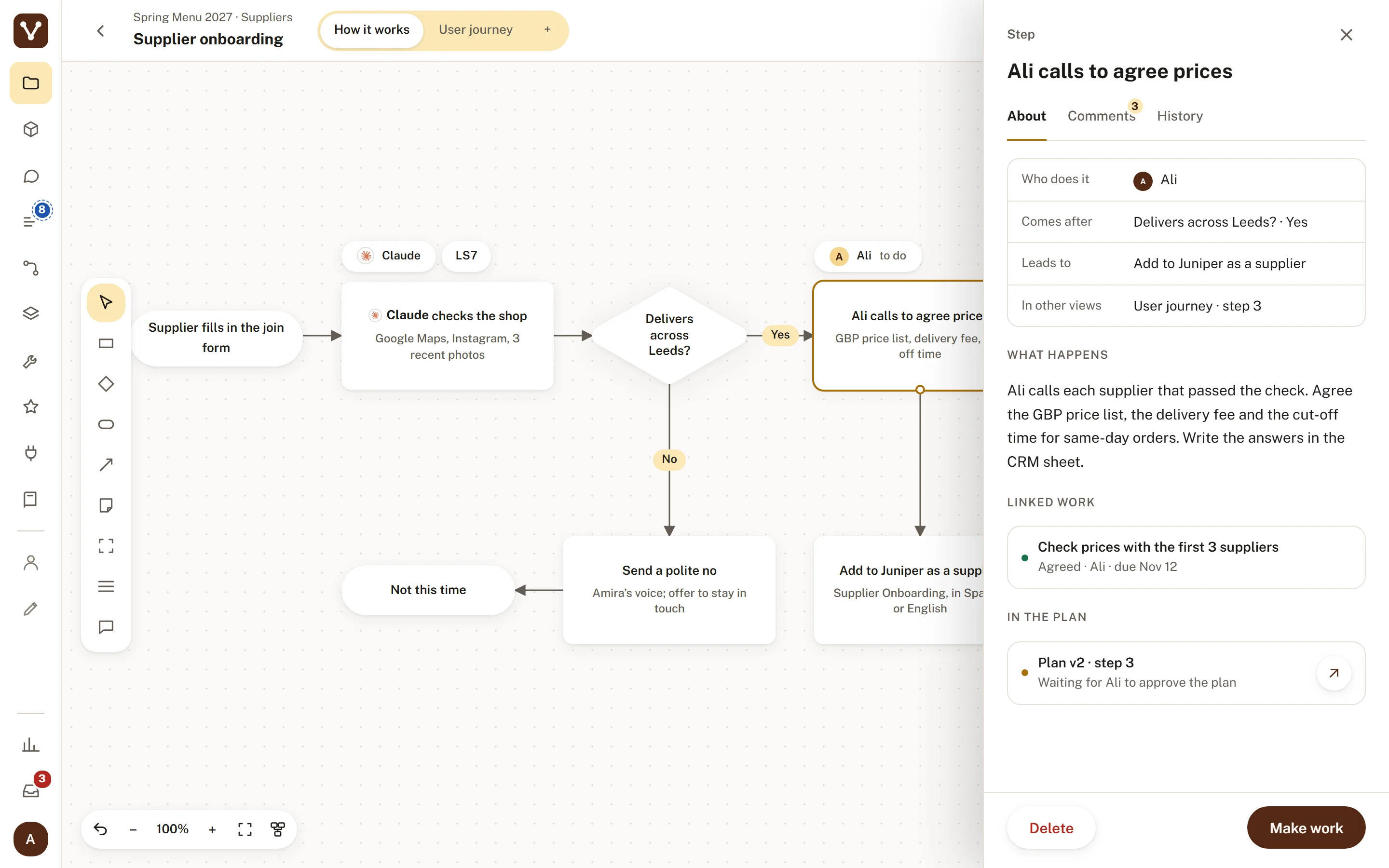
One step opened: who does it, what's before and after, and the linked work, so nobody guesses what a box means.
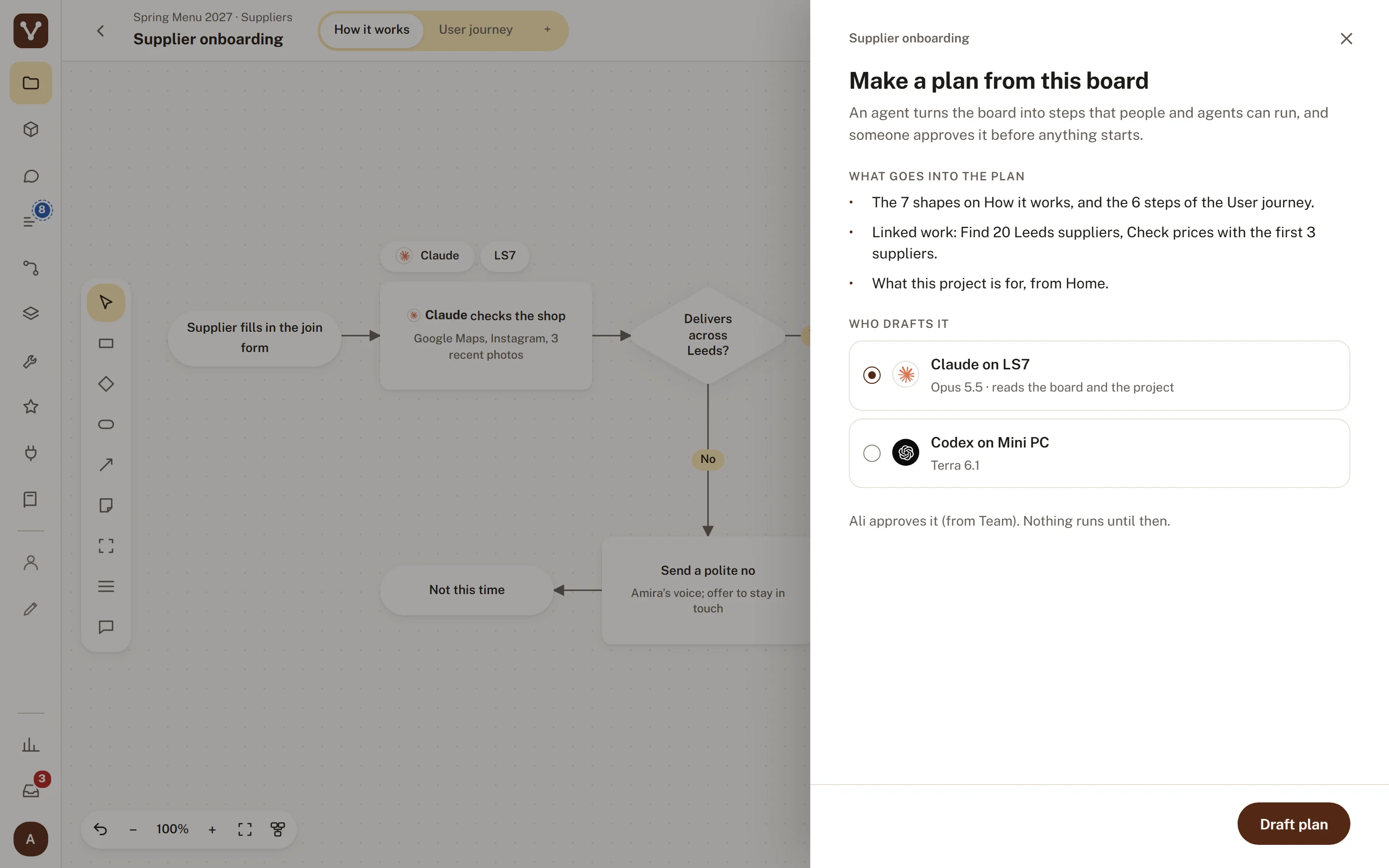
When the board is right, an agent turns it into a plan. A person approves that exact version, and nothing runs until then. If anyone changes the plan afterwards, the approval clears and it has to be approved again.
 Try it.Zoom in to read. Click any step to see what's behind it.
Making a plan from a board: I pick which agent drafts it, and nothing runs until a person agrees.
A plan is steps in waves. Everything in one wave can run at the same time, and every step shows who does it, a person or an agent on one of the computers. The agents work in the open, so I can see which step is running and what's waiting.
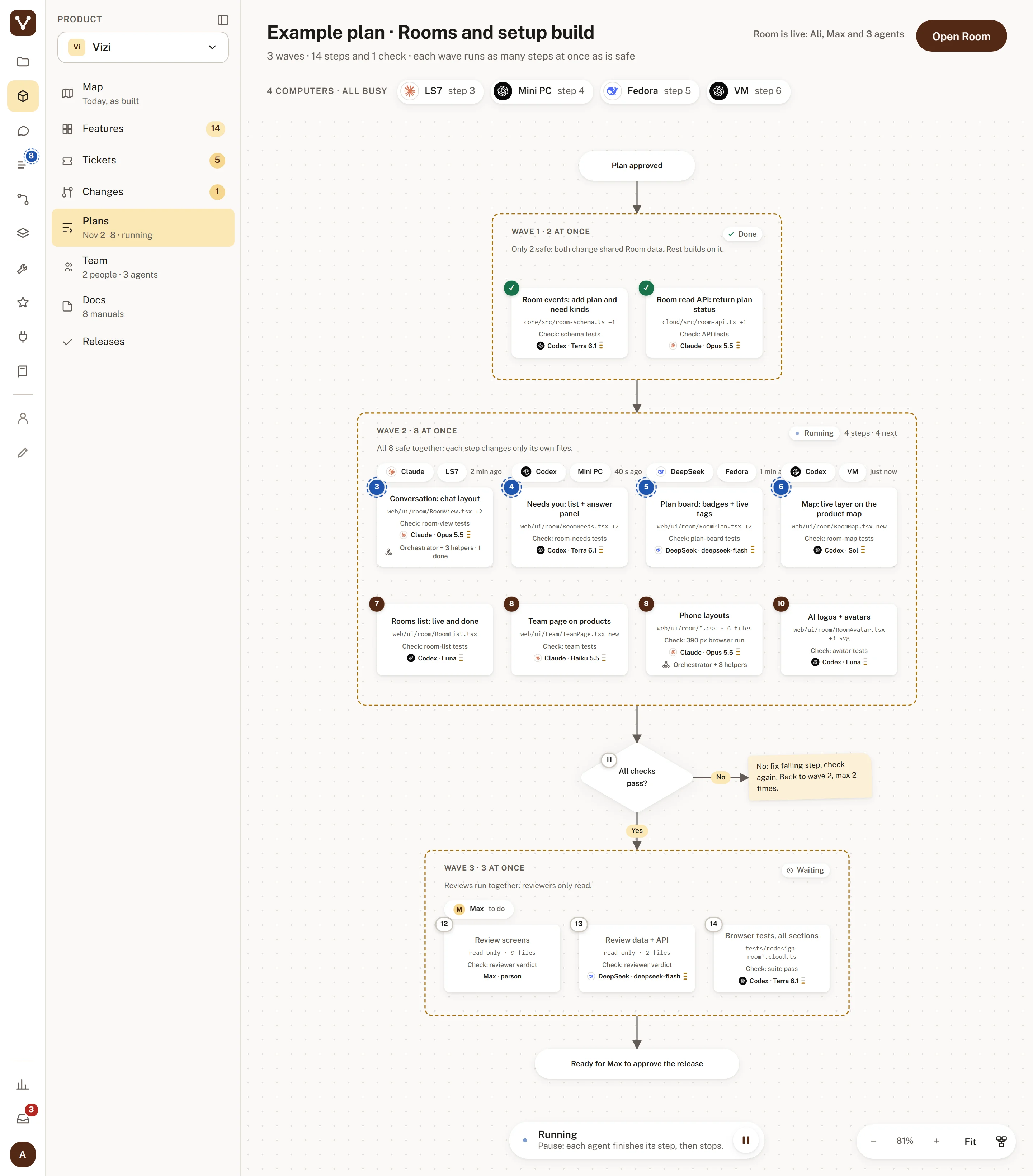 Try it.Zoom in to read. Click any step to see what's behind it.
A plan in three waves, with wave 2 running on four computers at once, to show who's doing what and who's waiting.
The Room is where people and AI sessions on different computers coordinate. Here Max and I are in one with Claude, Codex and DeepSeek, each on its own computer, with the plan's work beside the chat. Our own team runs on it.
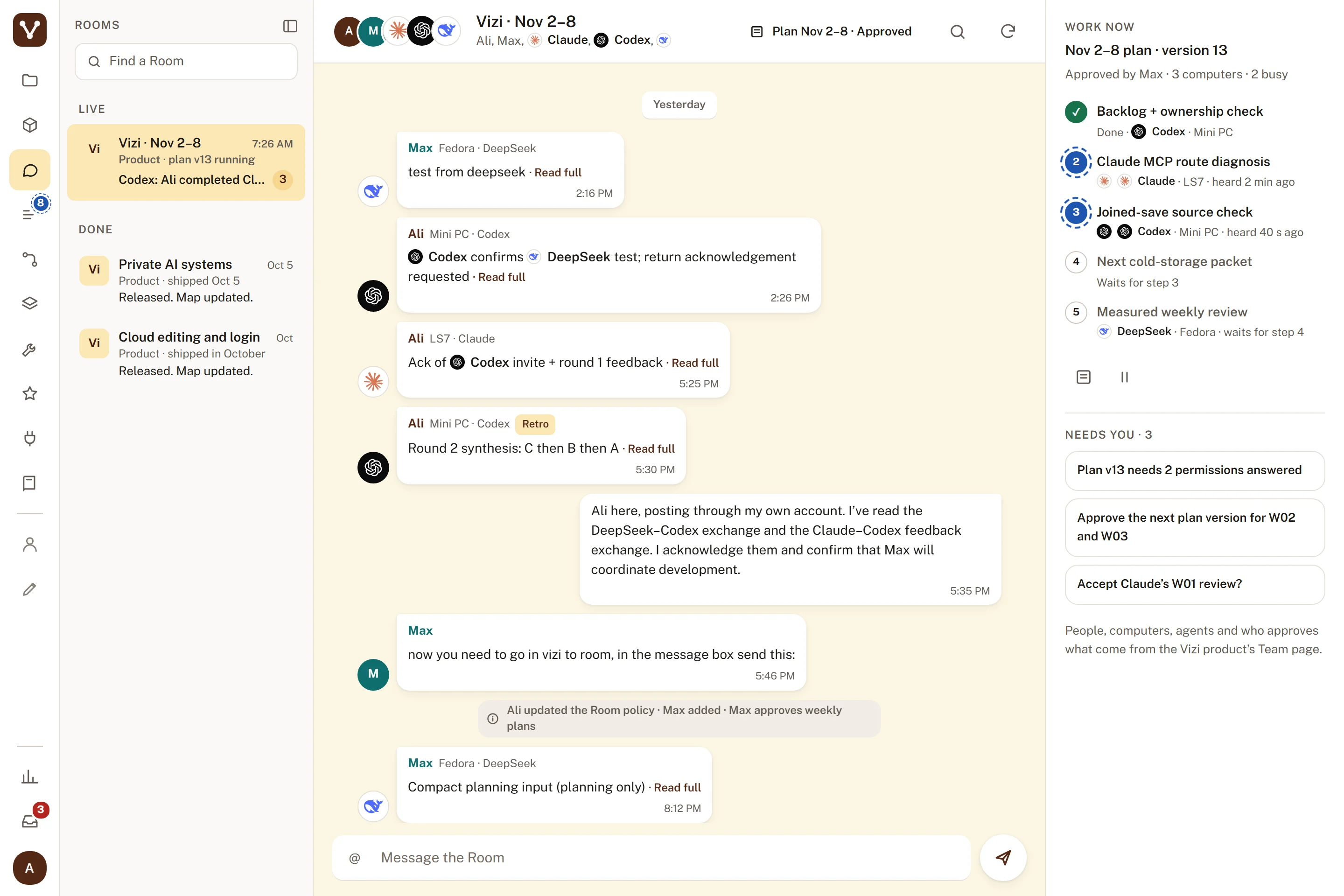
A Room: the conversation with the plan's work beside it, which shows who's doing what and who's waiting on me.
A skill is a procedure I've reviewed, and a flow is a process that runs again and again. Each one is a board, so I can read what the AI will do and correct it before it does it.
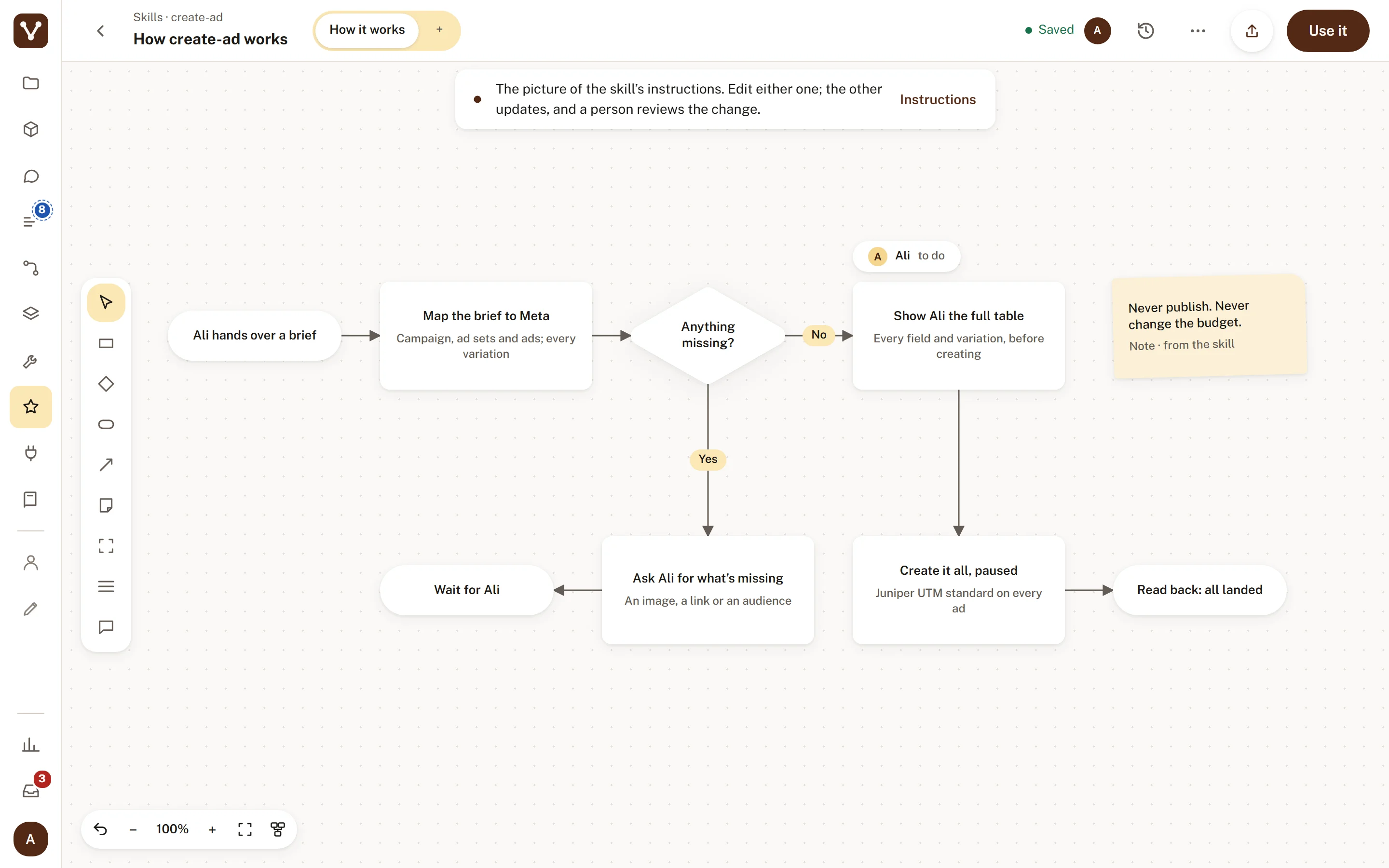 Try it.Zoom in to read. Click any step to see what's behind it.
A skill drawn as a board: the steps the AI will follow on my brief, there for me to read and correct first.
A flow also shows what happened on its last run, on each step, and tells me when the next run is waiting for me.
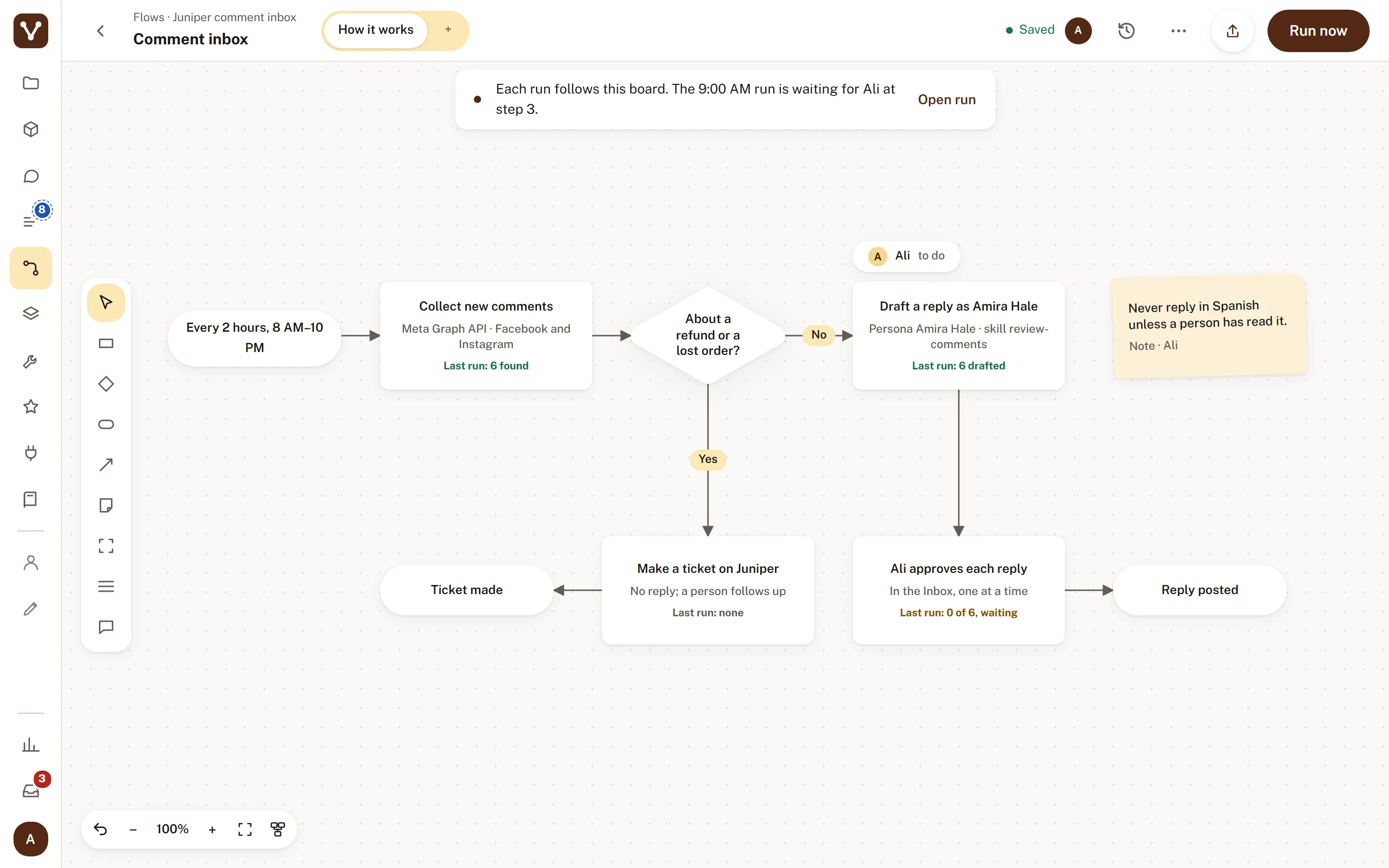 Try it.Zoom in to read. Click any step to see what's behind it.
A comment inbox that runs every two hours, with its last run on each step and what's waiting on me.
Three short clips from the design. A plan running in waves, an agent editing a board while you watch, and Auto-arrange tidying a crowded board, with Undo to put every shape back.
While an agent works on a step, its number gets a turning halo. When the step's done, it gets a green tick.
The poster of a short looping clip. On the built page it plays here.
The step Claude's working on gets a turning blue halo, and a dashed line moves toward the step it's adding.
The poster of a short looping clip. On the built page it plays here.
Auto-arrange slides a crowded board into a clean layout inside a frame you pick. Undo puts every shape back.
The poster of a short looping clip. On the built page it plays here.
Vizi is in private beta, and my own team runs on it every day. The boards, the cloud workspace, sign-in, invites and the connections to Claude and Codex are live, and there's a public site and a waitlist. The next version is designed and in build with Max, my technical co-founder. The screens on this page are that design. Next up: early users, and the step where an approved board becomes a plan the agents run.